








Change Displayed Units
This section describes how to change the displayed units in TwinCAT 3 from mm to degrees.
Axis 1
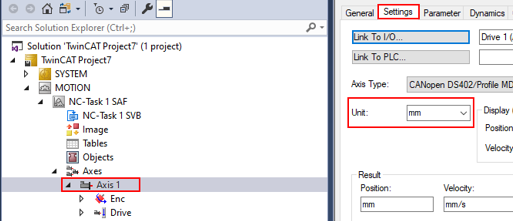
In the tree on the left, go to the TwinCAT project > MOTION > NC-Task 1 SAF > Axes > Axis 1
-
Click the Settings tab on the right.
-
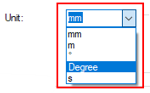
Click the Unit drop-down and select Degree.
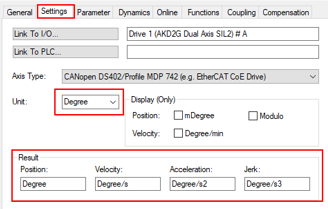
The change appears in the Result section.
Axis 2
Repeat steps used for Axis 1 using Axis 2.
To continue, follow the steps in Manual Velocity for Fast and Slow Settings.


